
In Retail Pro, go to Workstation Preferences (WS), then expand "Printing" then "Receipts".
If BlackIce is set up (i.e. RedirectPrinter=true) then there will be two printers that effectively print to the physical device:
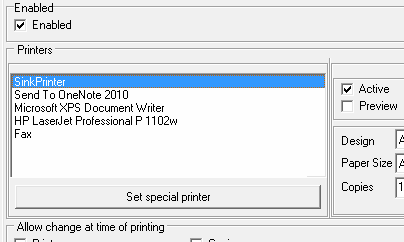
In this case SinkPrinter and HP LaserJet. The sink printer should NOT be active while the redirect printer (HP LaserJet) should be. If both are ticked then receipts will be printed twice.
tags: duplicate, extra receipt, retailpro