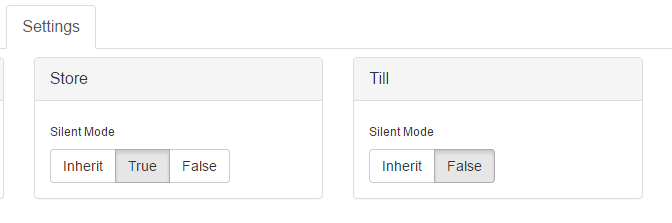
When a till is on silent mode yRprinter will still be listening for receipts but the screen will not be popping up. To turn this mode on or off do the following:
- Log in to the retailer interface (yreceipts.com login).
- Go to till status, that is, click on this icon in the top right:

- Expand your company and find your store or till(s).
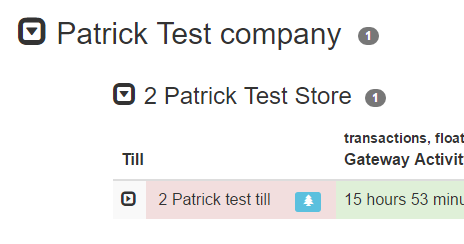
- Expand the till and go to the settings tab
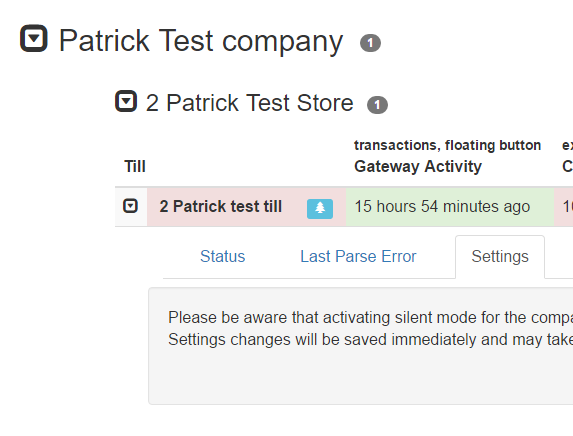
- Acknowledge the warning.
- From here you can set the company, store or till to silent mode. Be very careful not to set the company to silent mode if you don't want that! (as per the warning)
- "True" means that it's in silent mode and "False" means it's not (i.e. it's active). Other option is "Inherit" (see footnote for explanation).
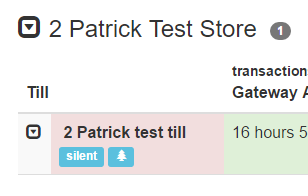
- If a till is already in silent mode, it will be marked as such:
The store inherits it's silent mode value from the company and the till inherits it's silent mode value from the store. So to set a whole store on/off silent mode, you will also need to ensure that the tills are "inheriting" the right value from the store. E.g. In the following example, the till is still active (i.e. not silent) as it's not inheriting from the till.