
First, log in to the Retail Login. If you don't know how to do that, follow this guide.
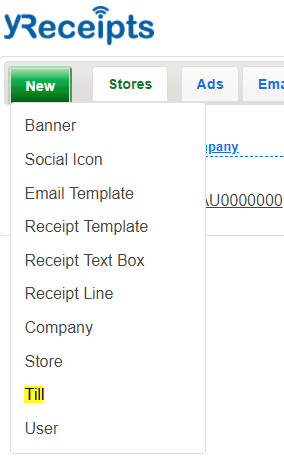
To start creating a new till, select Till from the dropdown "New" menu in the top left hand corner:
You will then get a form to fill out. You can safely ignore most of these fields, the most important ones are:
- Till Name - Friendly name of the till
- Till Location - Select from the existing stores
- Hostname - Must be set to the machine name (hostname) of the till. This allows yRprinter to contact it through the cloud
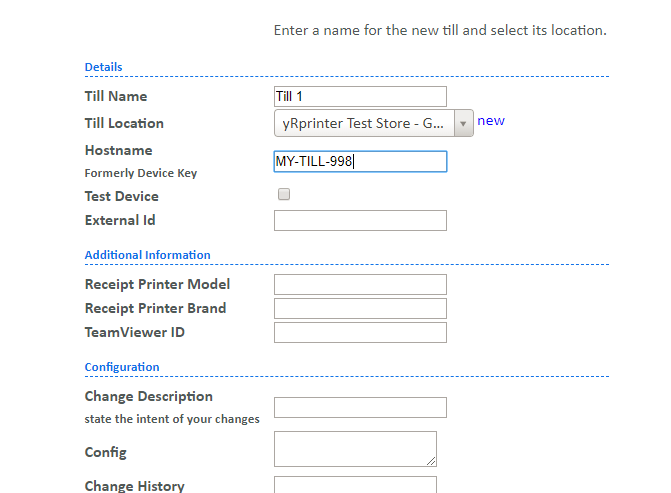
In most situations, you can ignore all the other fields, scroll to the bottom and press submit.

That's it! Your till should now exist in the cloud. You can check it exists by going to the till status page:

Now that you've created your till, you probably want to install yRprinter on it. Read this for the process for doing that.